1.2 Data Storage
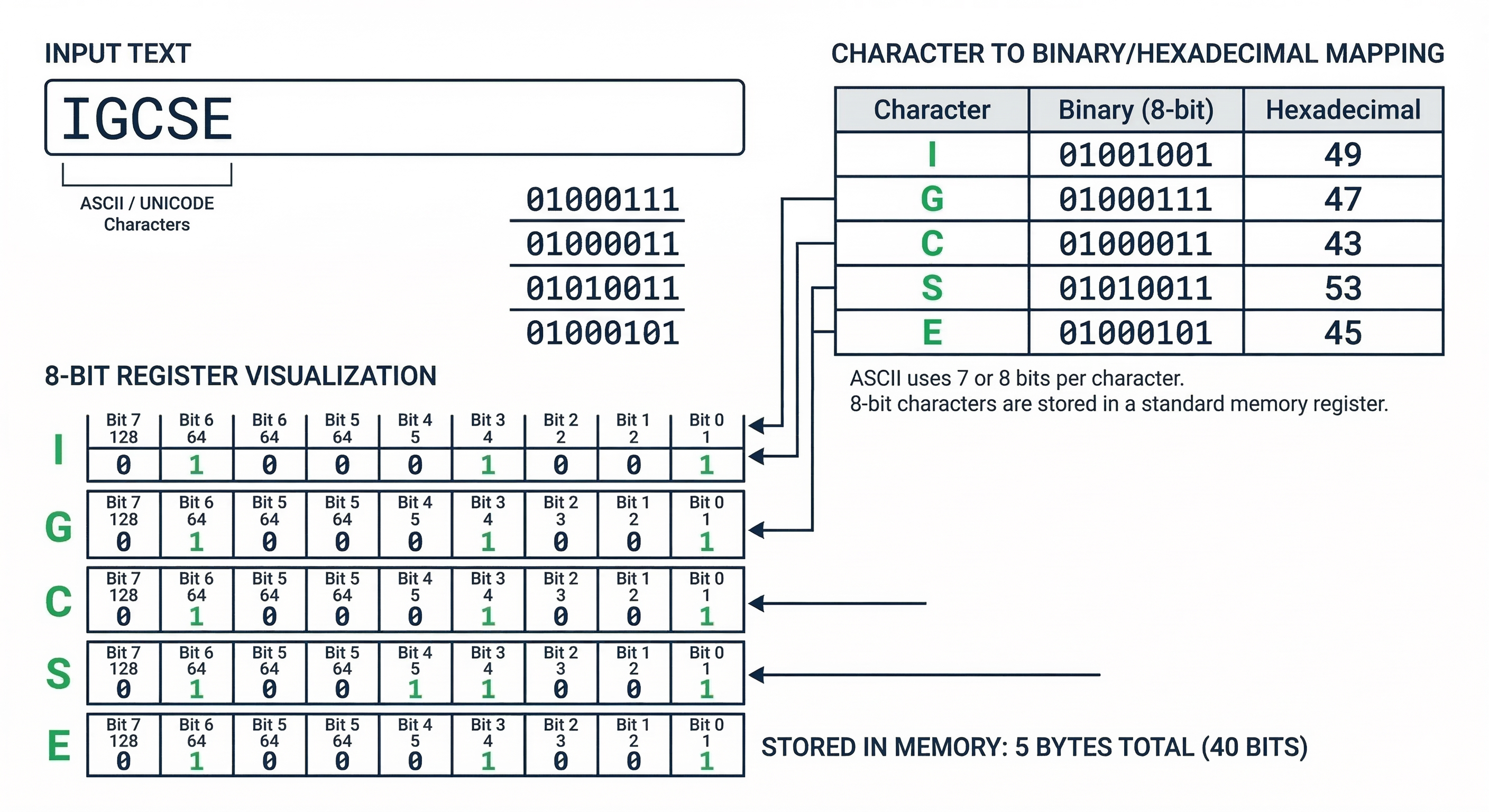
Representing Text
Character Sets
Computers cannot store letters directly; they assign a unique binary number to every character. This collection of characters is called a Character Set.
- ASCII: Uses 7 bits (128 characters) or 8 bits (Extended). Limited to English and basic symbols.
- Unicode: Uses up to 32 bits. It covers all world languages, emojis, and symbols. It is backward compatible with ASCII.
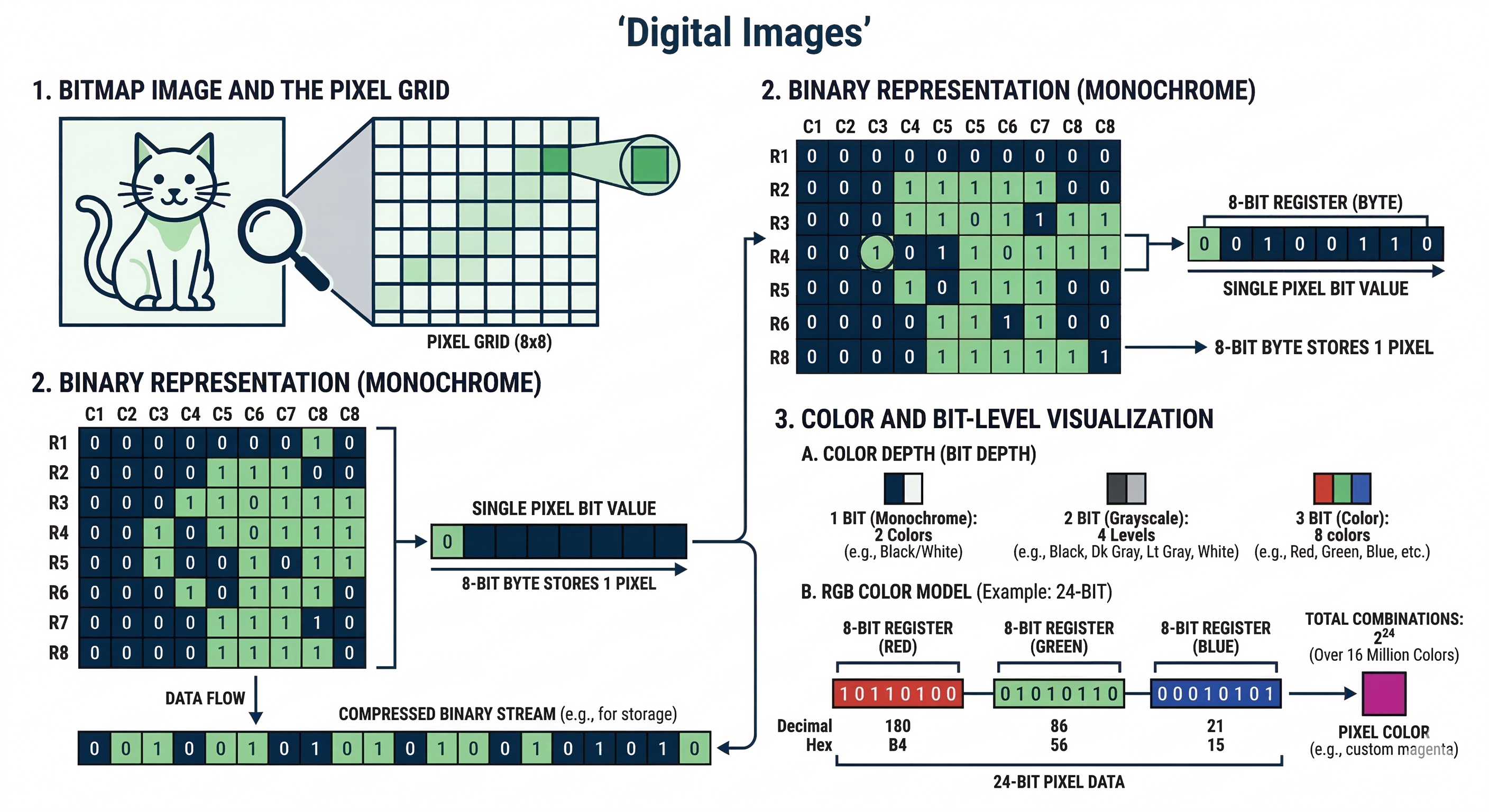
Digital Images
Pixels and Resolution
A digital image is made of tiny dots called Pixels (Picture Elements).
- Resolution: The number of pixels in the width and height of an image (e.g., 1920x1080).
- Color Depth: The number of bits used to represent each color. 8-bit depth allows for 256 colors ($2^8$).
File Size = Resolution (W x H) x Color Depth
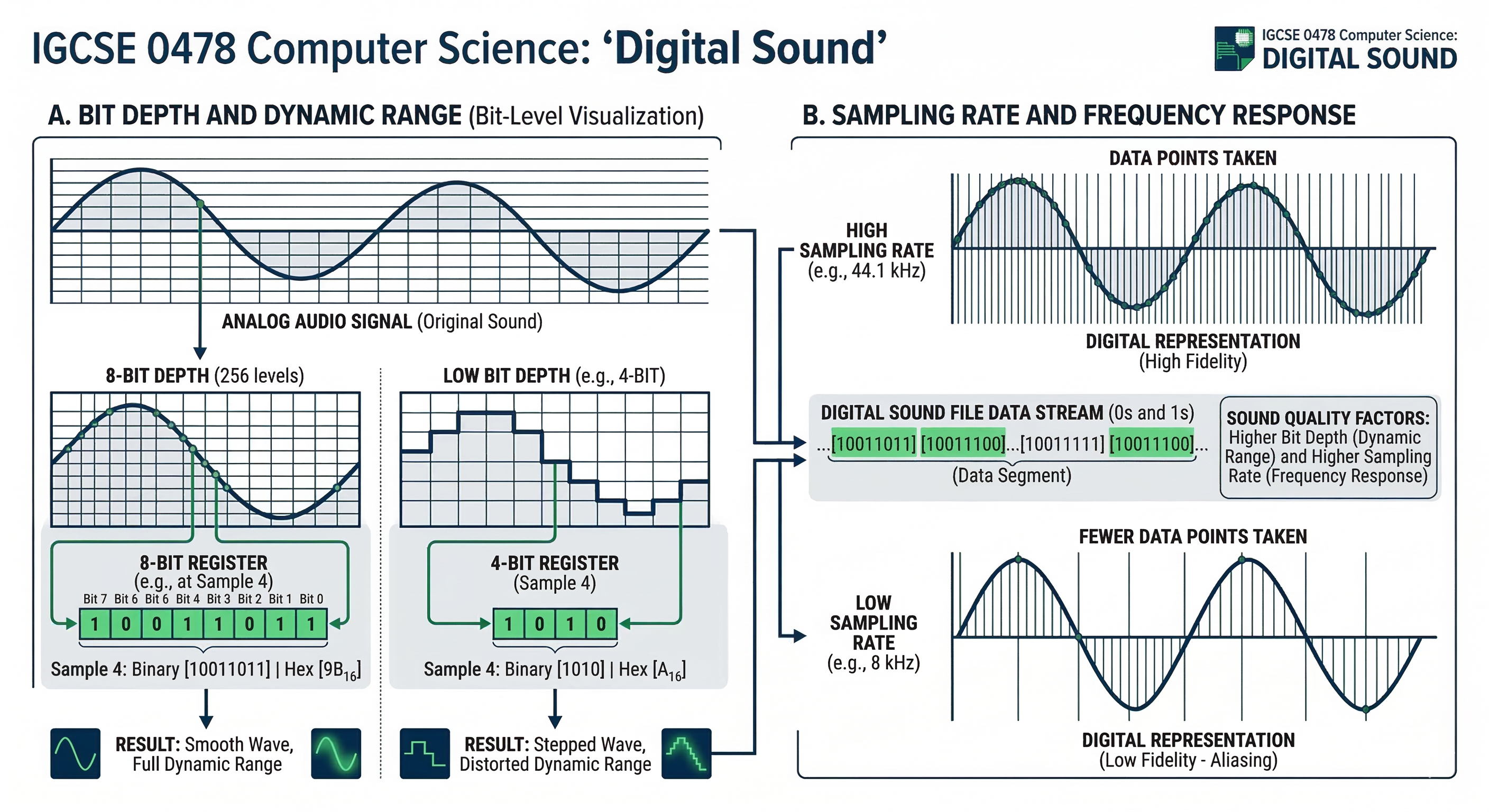
Digital Sound
Sampling
To store sound, an ADC (Analogue to Digital Converter) takes "snapshots" of the sound wave at set intervals. This is Sampling.
- Sample Rate: Number of samples taken per second (Measured in Hz).
- Sample Resolution: Number of bits per sample (also called bit depth).
File Size = Sample Rate x Resolution x Duration
Data Compression
Lossy vs Lossless
Compression reduces file size for faster transmission and less storage space.
| Lossy | Lossless |
|---|---|
| Removes non-essential data permanently. | Reduces size without losing any original data. |
| Used for: JPG, MP3, MP4. | Used for: PNG, ZIP, Executable files. |