1.1 Data Representation
Binary and Denary Systems
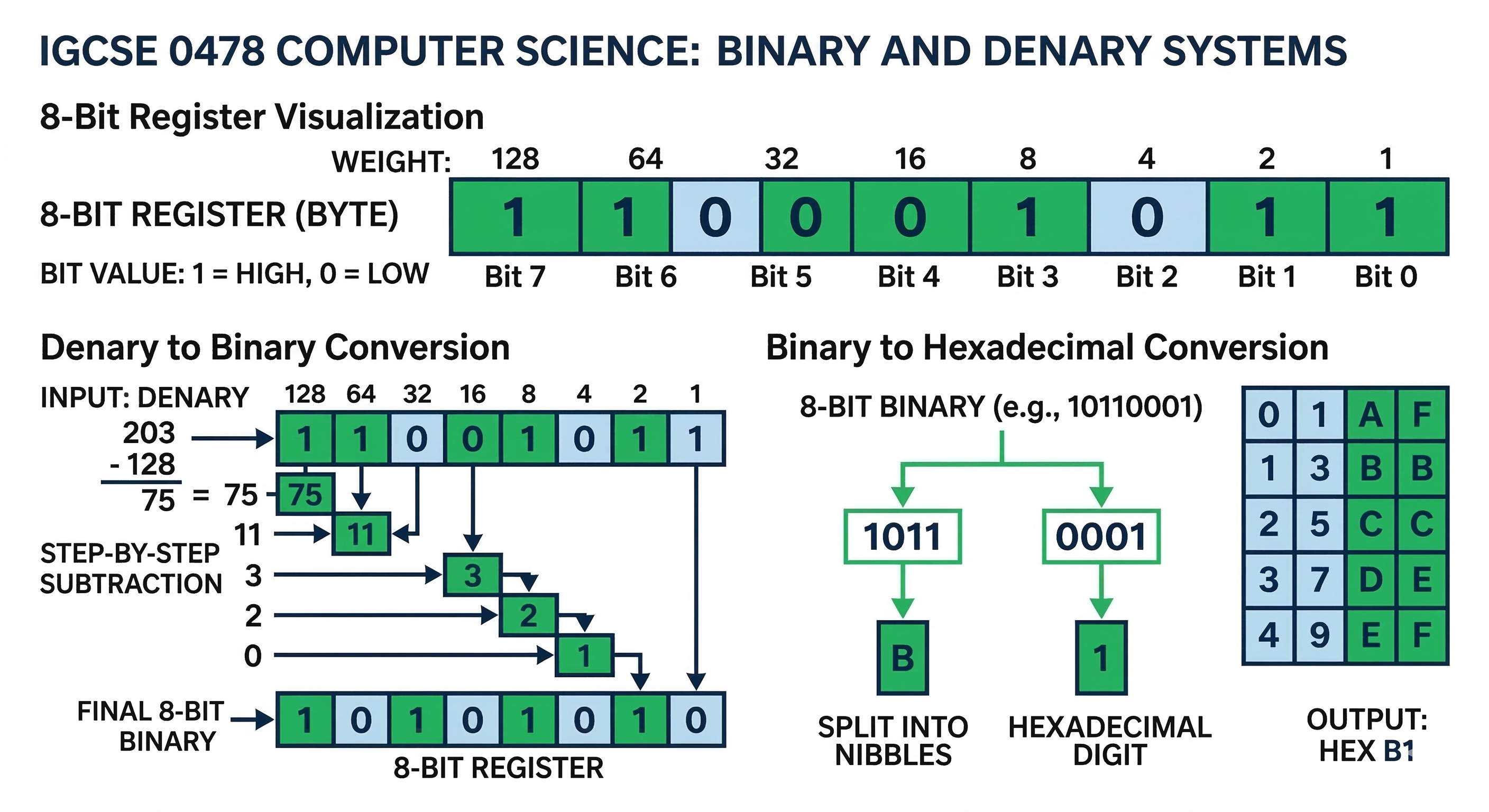
The Binary System (Base-2)
Computers consist of billions of tiny switches (transistors) that can only be in two states: ON (1) or OFF (0). This is why computers process data in binary.
Key Rule: Each digit in a binary number is called a bit. 8 bits make 1 byte.
Conversion: Binary to Denary
Use a place-value table (128, 64, 32, 16, 8, 4, 2, 1). Place your binary number in the slots and add up the values where a "1" appears.
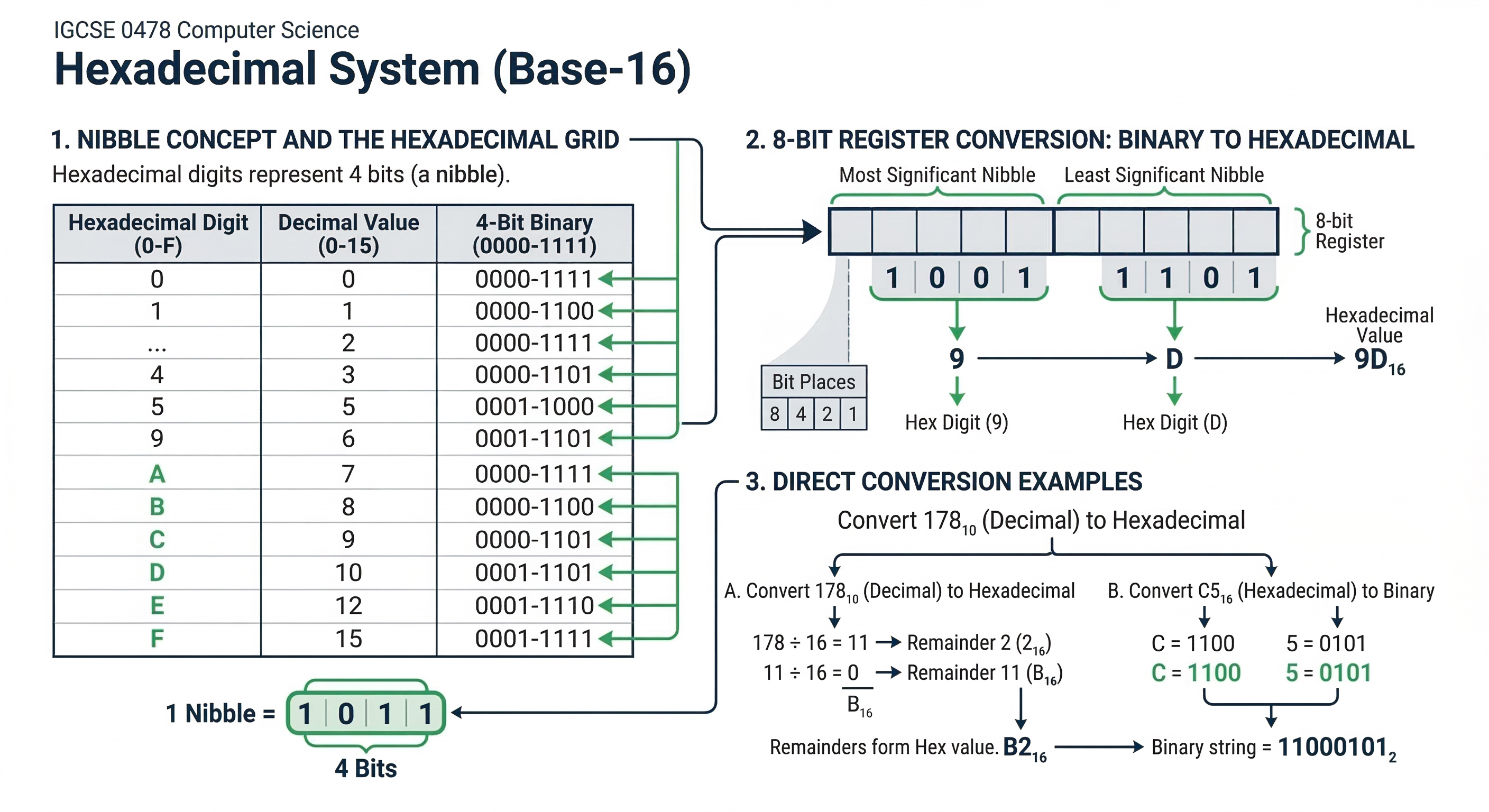
Hexadecimal System (Base-16)
Why use Hexadecimal?
Hexadecimal is used by humans (programmers) because it is shorter and easier to read than long strings of binary. It reduces the chance of errors.
- Uses digits 0-9 and letters A-F.
- A=10, B=11, C=12, D=13, E=14, F=15.
Common Uses in IGCSE:
1. MAC Addresses
2. HTML Color Codes (#FF5733)
3. Memory Dumps and Error Codes.
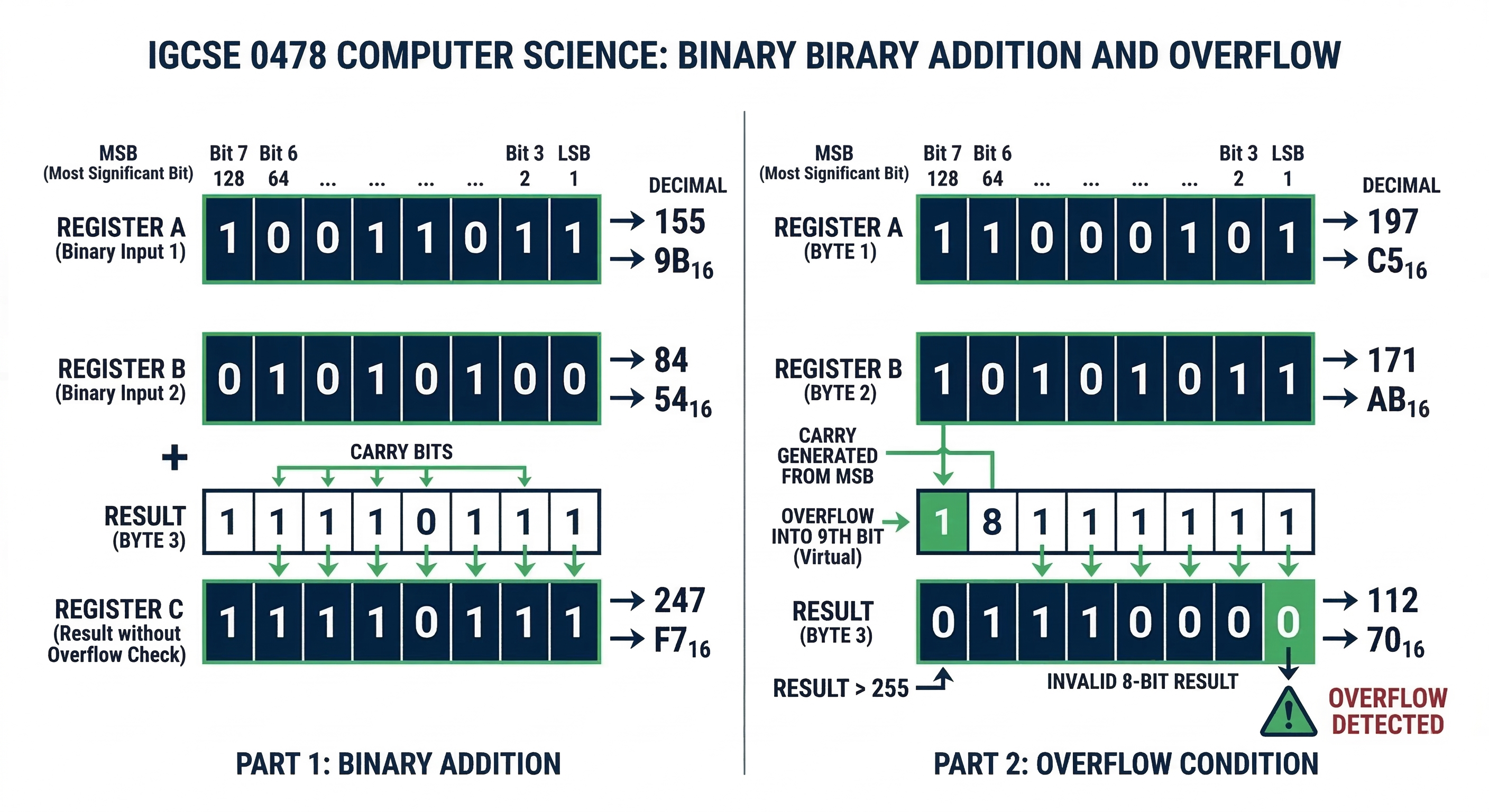
Binary Addition and Overflow
Addition Rules
- 0 + 0 = 0
- 0 + 1 = 1
- 1 + 1 = 0 (Carry 1)
- 1 + 1 + 1 = 1 (Carry 1)
Overflow Errors
In the IGCSE syllabus, we focus on 8-bit registers. If you add two numbers and the result requires a 9th bit, an Overflow Error occurs because the computer cannot store the extra bit.